

Appearance
User Guide for Dhl Express Shipping
Multi-Vendor Marketplace for Shopify is here with another marketplace shipping feature app, i.e., DHL Express.
Using this featured app, the merchants can allow sellers to ship your goods through DHL using multiple carrier shipping methods and then print Shipping Label.
CHARGES:
This feature will have an additional charge of USD 10 per month over & above your current multivendor marketplace plan.
NOTE:
This feature app is available only with the Multivendor Pro Plan ($60/month). Moreover, you need to enable the Shipping add-on (free) from the ‘featured apps’ section of the app.
Above all, access to Shipping requires your Shopify store to be on the plan that supports Real-Time Carrier-Calculated Shipping.
Installation
The admin needs to visit the multi-vendor marketplace admin panel > click on the three dots > click on the feature apps. Further, enable the DHL Express feature app.

Furthermore, agree & approve the charges to complete the installation process.
Configuration: Admin End
Firstly, the admin needs to enable this shipping method from the shipping configuration. So, for this, visit:
Multivendor Marketplace Admin Panel > Configuration >Shipping Configuration.
Click on the three dots under the Action menu & further, click on enable.

Moving on, the admin needs to configure the DHL Express method. So, for this, click on Configure Shipping. Refer:

DHL Express Configuration
On the following page, configure the following details:
- Sandbox Mode: If you want to test the functionality of this shipping method, keep the sandbox mode enabled. Remember, shipping labels won’t be generated in testing mode.
- Automatic shipping label generation: By enabling this, the shipping label will be automatically generated at the tie of order fulfillment.
- Message Reference Key: Enter Message Reference Value and it should contain a unique reference to the message so that trace of a particular message can easily be carried out. It must be a minimum length of 28 and a maximum of 32.
- Site ID: Enter SiteID value provided by DHL Express Provider.
- Password: Enter Password value provided by DHL Express Provider.
- Shipper Account Number: Enter Shipper Account Number Provided by DHL Express Provider.

- Choose Domestic Service:
- Same Day
- Domestic Express
- Express 12:00
- Express Worldwide
- Choose International Service:
- Express Worldwide
- Medical Express
- Express 12:00
- Express 10:30
- Usage as:
- Fulfillment
- Both Fulfillment and Shipping
- Choose Weight Unit:
- Kilogram (KG)
- Pound (LB)
- Choose Lenght Unit:
- Centimeter (CM)
- Inch (IN)
- Shipping label cost is borne by: Choose who will bear the shipping label charges, the admin, or the seller. (This is an extra cost apart from what the customer has paid.)
- Pickup Days: Enter the minimum number of days within which the pickup can be done.
- Pickup Time: We update the time slots as per Pacific Time (PT) that is 7 hours lesser than the time you choose.

If you want your seller to add there DHL credentials then enable this configuration:

Set Shipping Method For Sellers:
The admin can further set the shipping methods for his sellers.
Go to multi vendor marketplace admin panel > Sellers > Seller Listing > Edit (under Action).
On the edit seller page, the admin will have the following block from where he can enable/disable/set as default:

Further, the admin can view all the sellers which are using this shipping method by going to multi vendor marketplace admin panel > configuration > Shipping Configuration:

The redirected page:

Here, clicking on the ‘Edit’ button for a particular seller will redirect you to the ‘Edit Seller’ page
From where you can disable the following shipping method for that seller (as shown previously in this blog).
Make Shipping Address Phone Number Mandatory
To use this feature add-on, the admin needs to make the shipping address phone number mandatory at the time of checkout.
So, to do this, go to Shopify Backend > Settings > Checkout > Under Form Options, make Shipping address phone number as Required:

Configuration: Seller End
Further, the seller can configuration DHL Express from his panel.
Go to Multi-Vendor Marketplace Seller Panel > Configuration > Shipping Configuration> Enable/Disable the shipping:

Furthermore, the seller can set the shipping method as by-default so that every single product created by him will have DHL as the by-default shipping method.
Clicking on ‘Set As Default‘ will give you the following dialogue box:

Now, the seller needs to visit Configuration > DHL Express Configuration: Enter the required details. (This section will only appear if the admin has allowed the sellers to enter their credentials.)

Set Default Shipping Method For Products
- For all products (old and new)
- Only for new products
- For products that don’t have any shipping method on
If not this, the seller can set the shipping method on individual products while adding/editing them.
So, go to Multi-vendor marketplace seller panel > Products >Product Listing > Add/Edit the Product:

Global Configuration
Further, click on the Global Configuration menu:

So, from here, the seller can do the SHIPPING PACKET CONFIGURATION:

Enter the shipping packet configurations & pickup time & days for DHL Express shipping.
NOTE: It is mandatory to add product weight while creating one.
Shopify Store Frontend
Likewise, the customer will have an option to select the shipping method as per configured from the backend after entering the information:

Shipping Label Generation
Seller will have an option to generate the shipping label from their seller panel. Also, shipping labels can only be generated for fulfilled orders.
Fulfilling order via DHL Express:
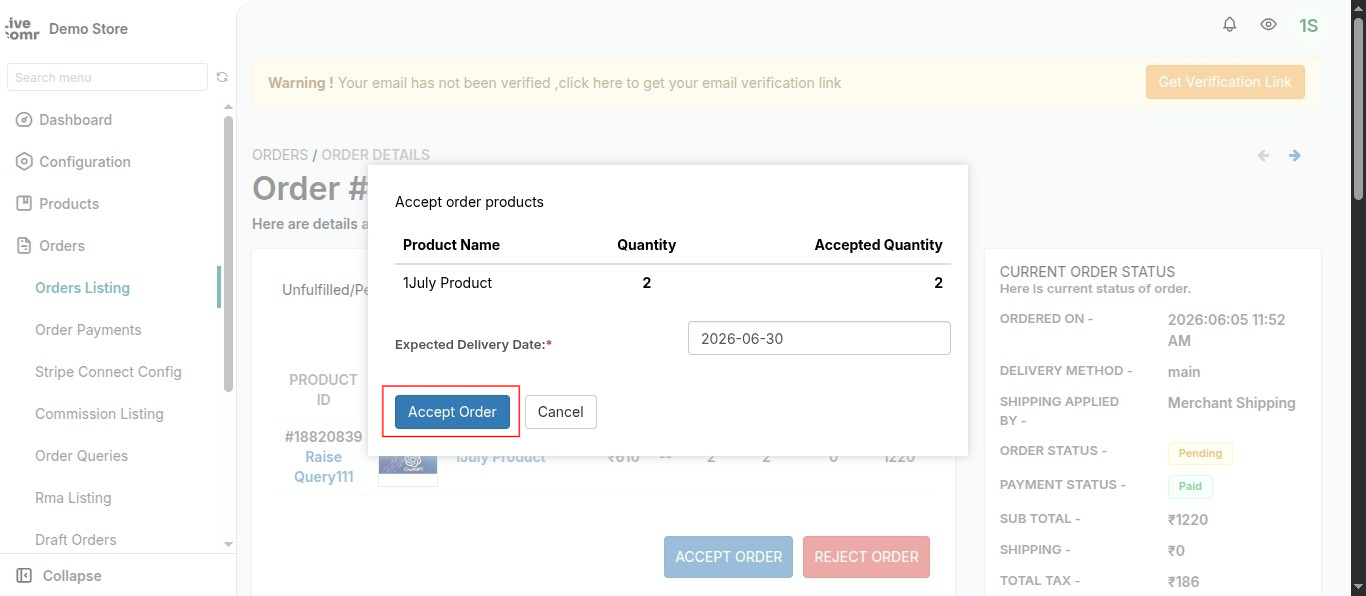
Go to Multi-vendor marketplace seller panel > Orders > Order Listing > View (under Action). Select the method of order fulfillment as DHL and fulfill the order.

As soon as the order will be fulfilled, the shipping label will be automatically downloaded.
(i)

(ii)
Moreover, if you again want to download the shipping label, go to ADDITIONAL ORDER DETAILS, click on Actions > Print Shipping Label:

Furthermore, this is how the shipping label will be downloaded in pdf form:


SCHEDULE DEMO
Click here to Schedule the demo of Multivendor marketplace App for Shopify