

Appearance
User Guide for Marketplace Ugc
Marketplace UGC Feature App - Multivendor Marketplace
Introduction
The Marketplace UGC (User Generated Content) feature allows sellers to showcase real customer or creator content such as videos, social media posts, and reviews directly on their product pages. This helps build customer trust, improve engagement, and increase conversions.
How to Enable the Feature
To enable the Marketplace UGC Feature App:
Navigate to:
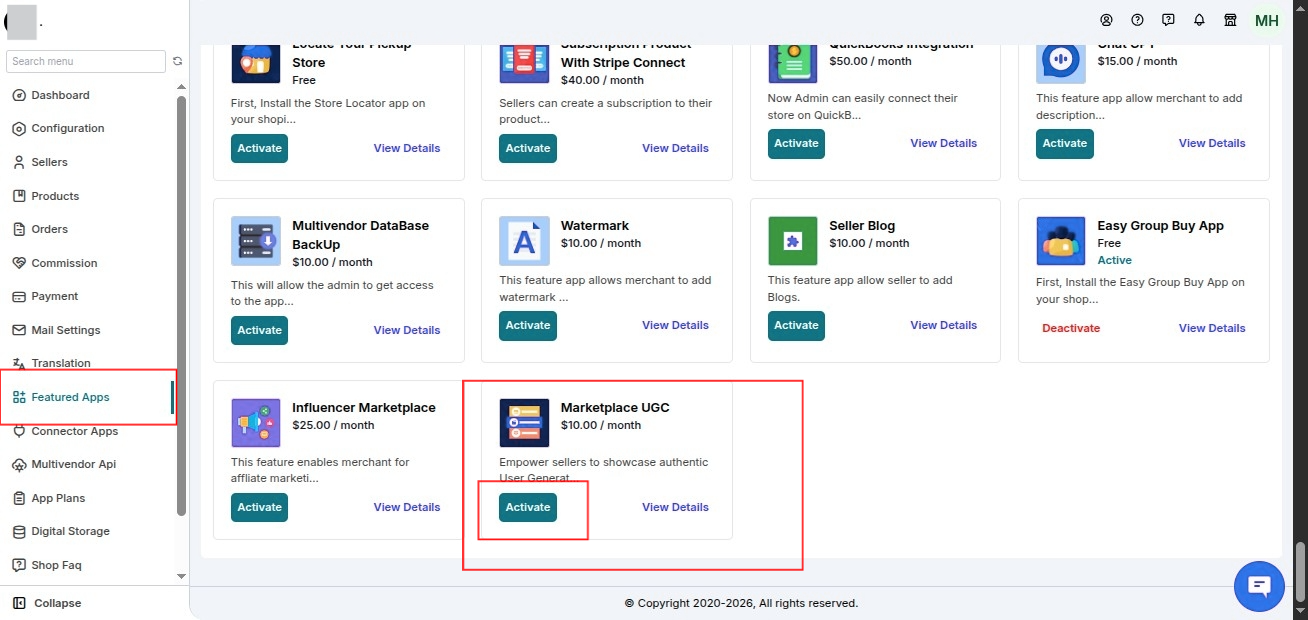
Admin Panel → Feature App → Enable Marketplace UGC Feature App
Once enabled, a new UGC Configuration section will appear under the Configuration menu.
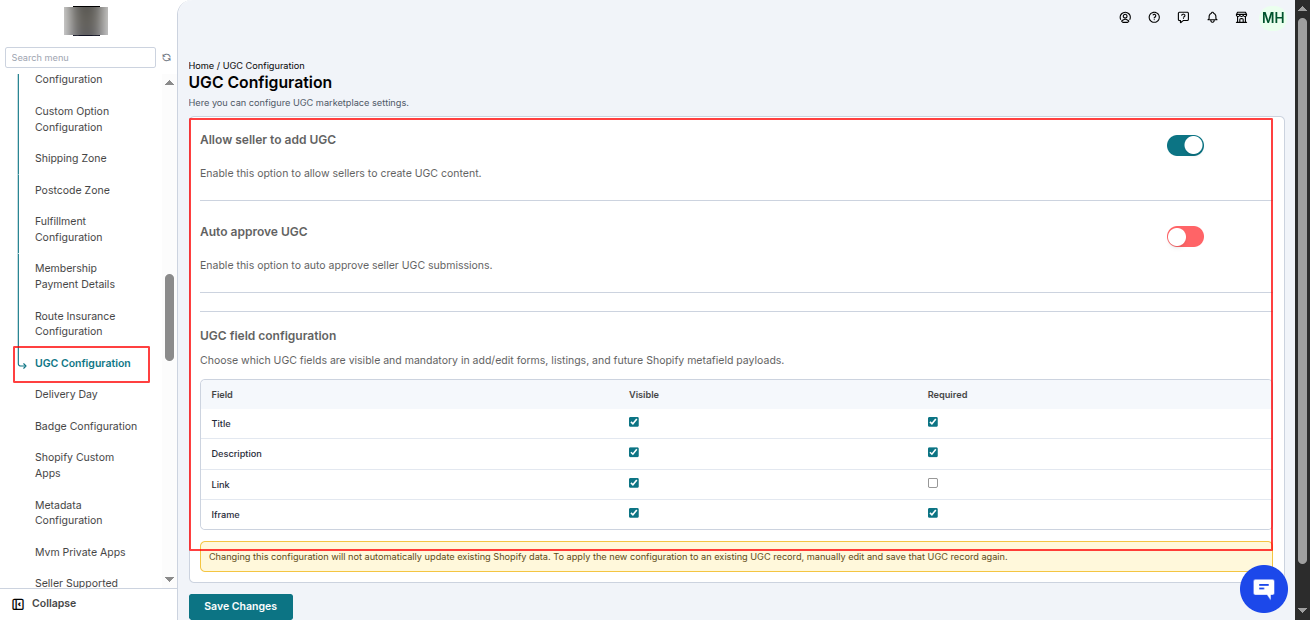
UGC Configuration (Admin)
Within the UGC Configuration, the admin can manage the following settings:
Allow Seller to Add UGC
Enable this option to allow sellers to create and manage UGC content from their seller panel.
Auto Approve UGC
If enabled, UGC submitted by seller staff will be automatically approved without requiring manual approval.
UGC Field Configuration
Choose which UGC fields are:
- Visible
- Mandatory
These settings apply to:
- Add/Edit UGC forms
- UGC listings
- Future Shopify metafield payloads
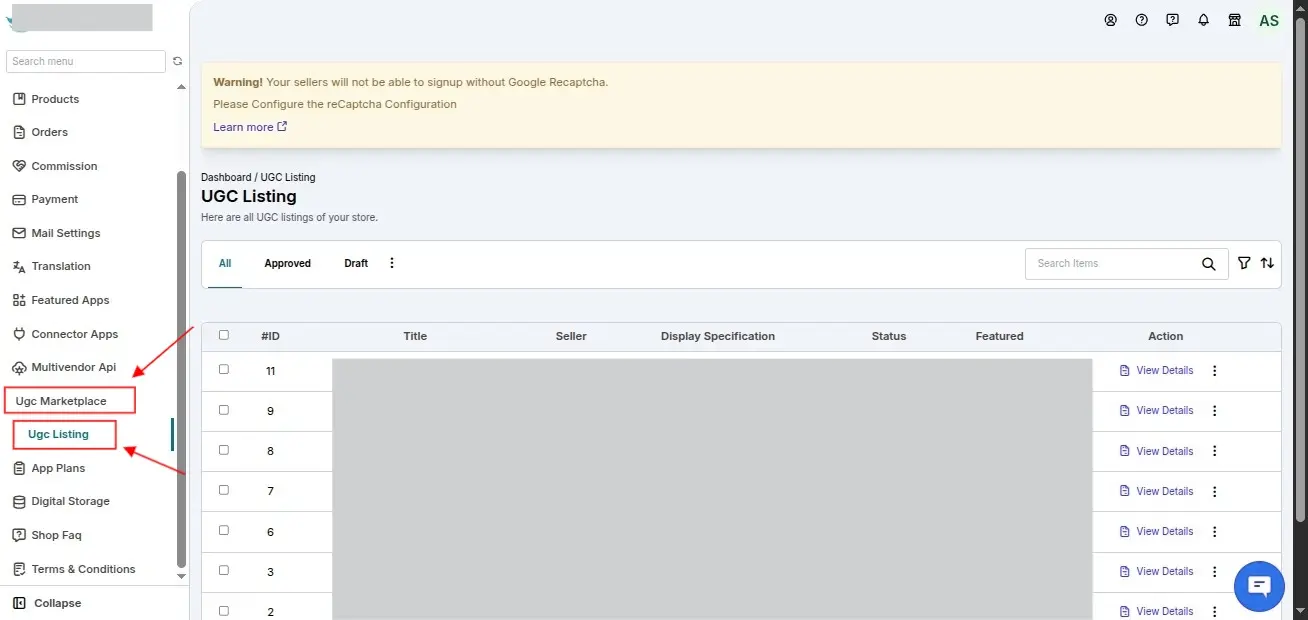
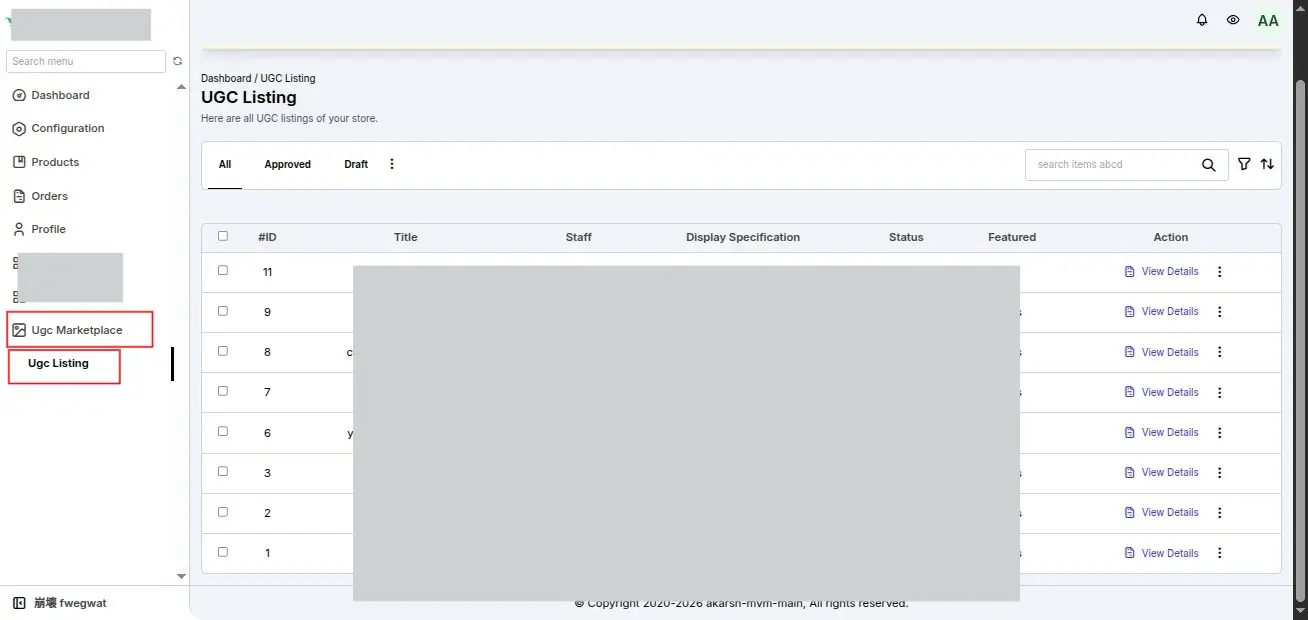
UGC Marketplace Section
After enabling the feature, a new UGC Marketplace section becomes available in both:
- Admin Panel
- Seller Panel
This section displays all UGC listings created by the seller and their staff.
Seller and Seller Staff – Adding UGC
To add UGC:
Log in to the Seller Dashboard.
Navigate to:
UGC Marketplace → UGC Listing
Click Add UGC.
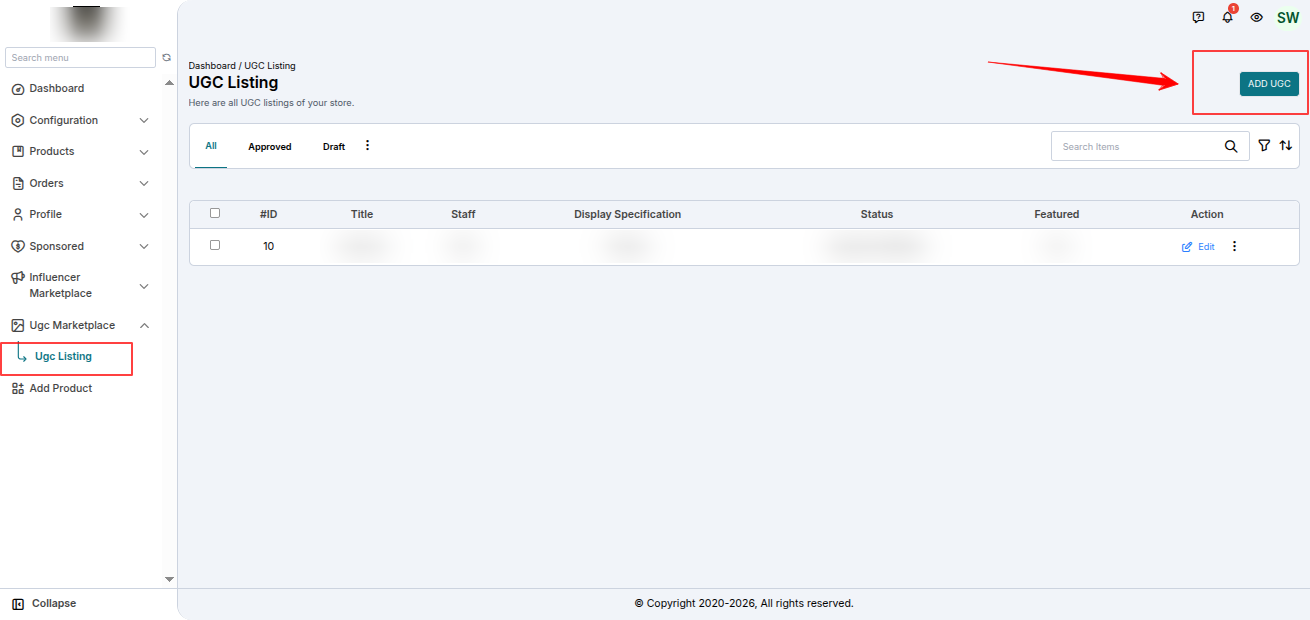
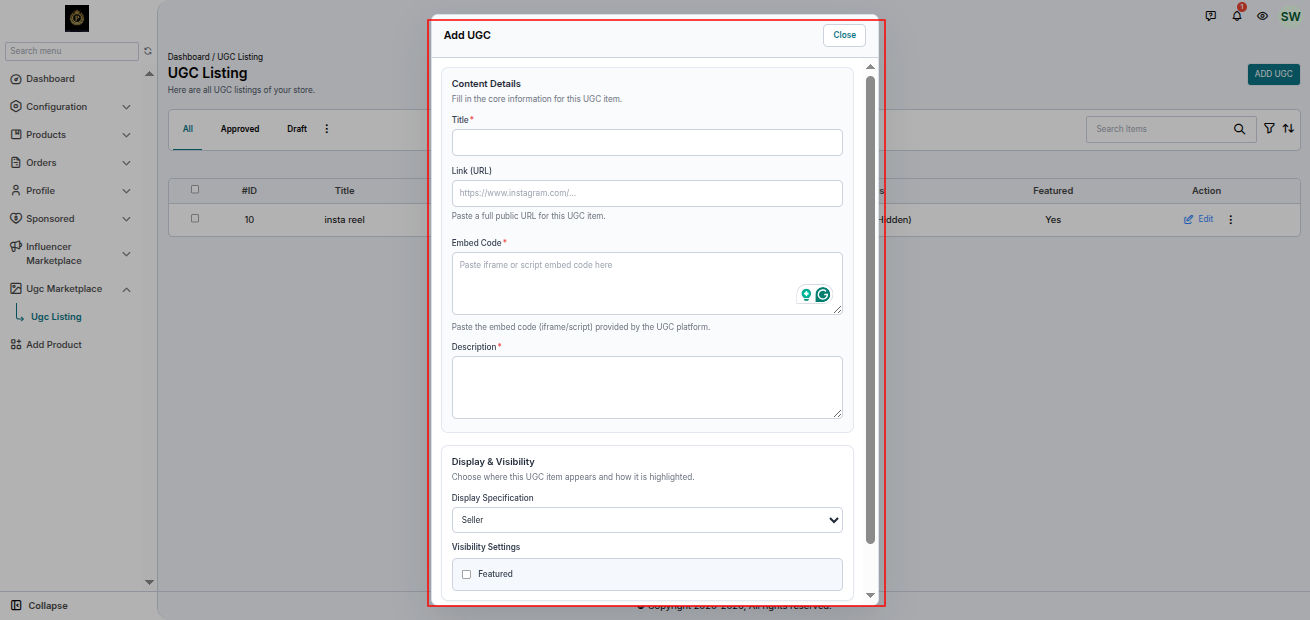
After clicking Add UGC, a form will open where the following information needs to be entered.
Title
Enter the title of the UGC.
Link
Paste the URL of the UGC content (Instagram, YouTube, TikTok, etc.).
Embed Code
Paste the embed or iframe code, if available.
Description
Add a short description of the content.
Display On
Choose where the UGC will appear.
Product
Select one or more products from the seller's product list to display the UGC on the corresponding product pages.
Seller
Display the UGC on the seller's collection/store page.
Both
Display the UGC on both:
- Selected product pages
- Seller collection/store page
Featured
Enable this option to display the UGC at the top of the selected product page(s) or seller collection page, depending on the selected Display On option.
Submitting the UGC
Once the seller or seller staff submits the UGC, it is sent for approval.
Auto Approve Behavior
If Auto Approve is Disabled
- The submitted UGC goes into the approval process before becoming visible.
If Auto Approve is Enabled
- The submitted UGC is automatically approved and published.
Seller Actions
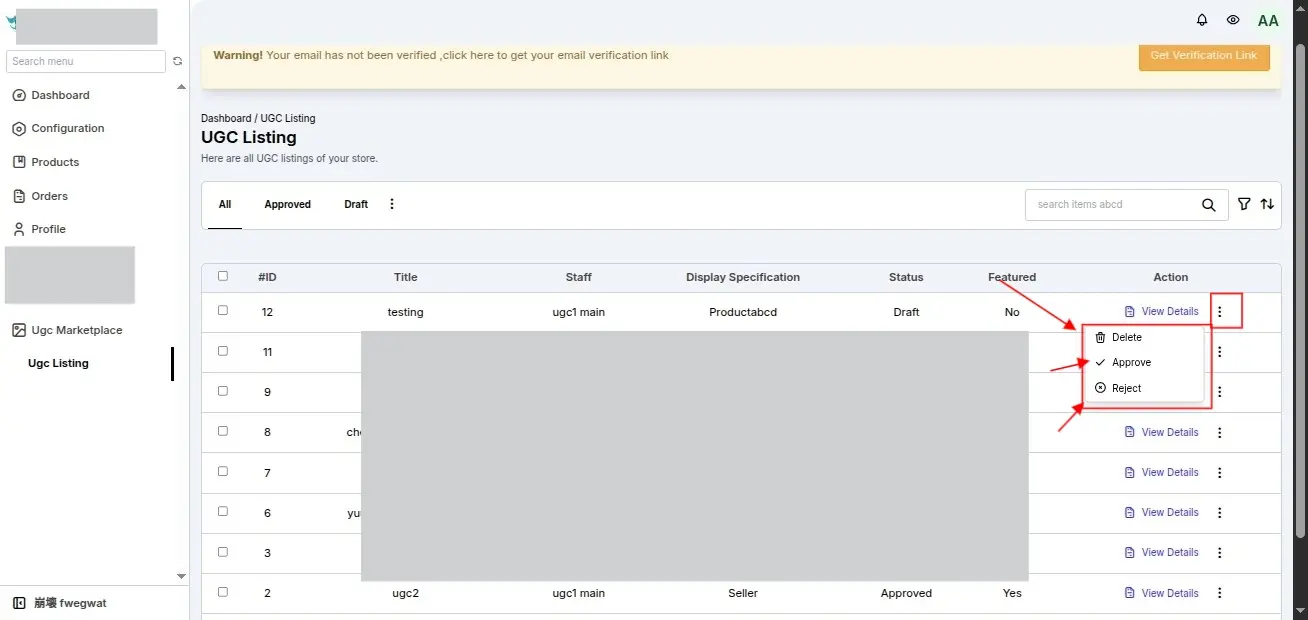
The seller can:
- Approve UGC
- Reject UGC
- Delete UGC
Once approved by the seller, the UGC becomes visible on the storefront.
Admin Actions
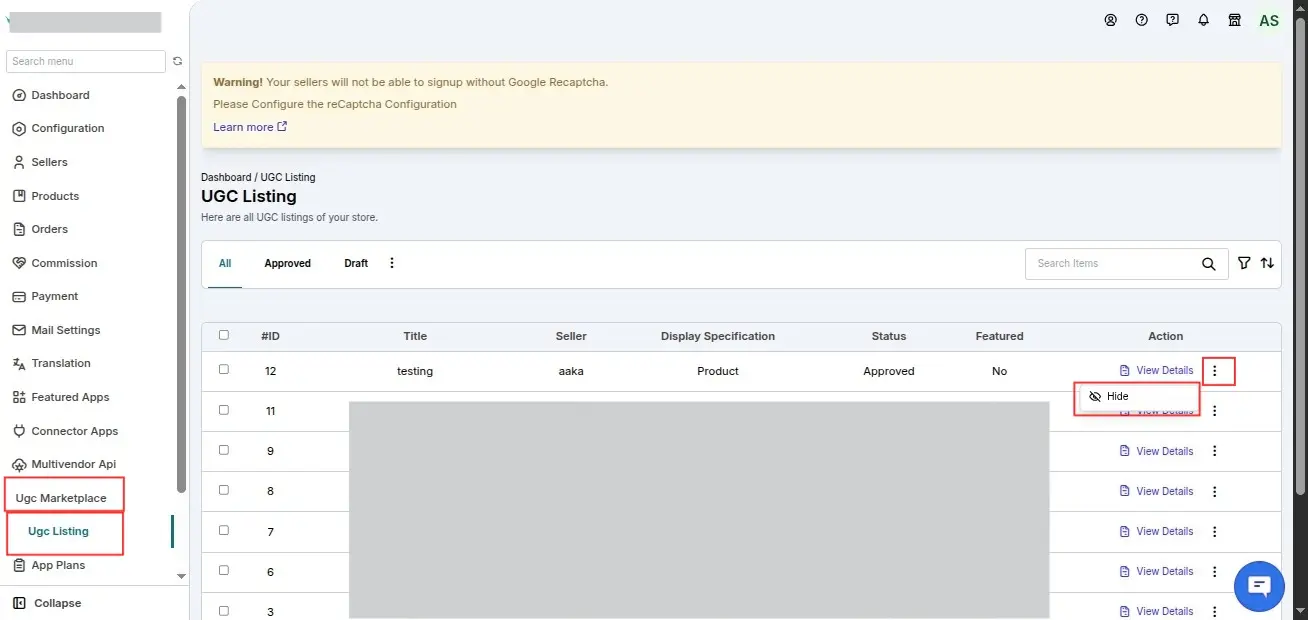
The admin can:
- View UGC details
- Hide inappropriate UGC by providing a reason
Once hidden, the UGC is removed from the storefront.
Frontend Display
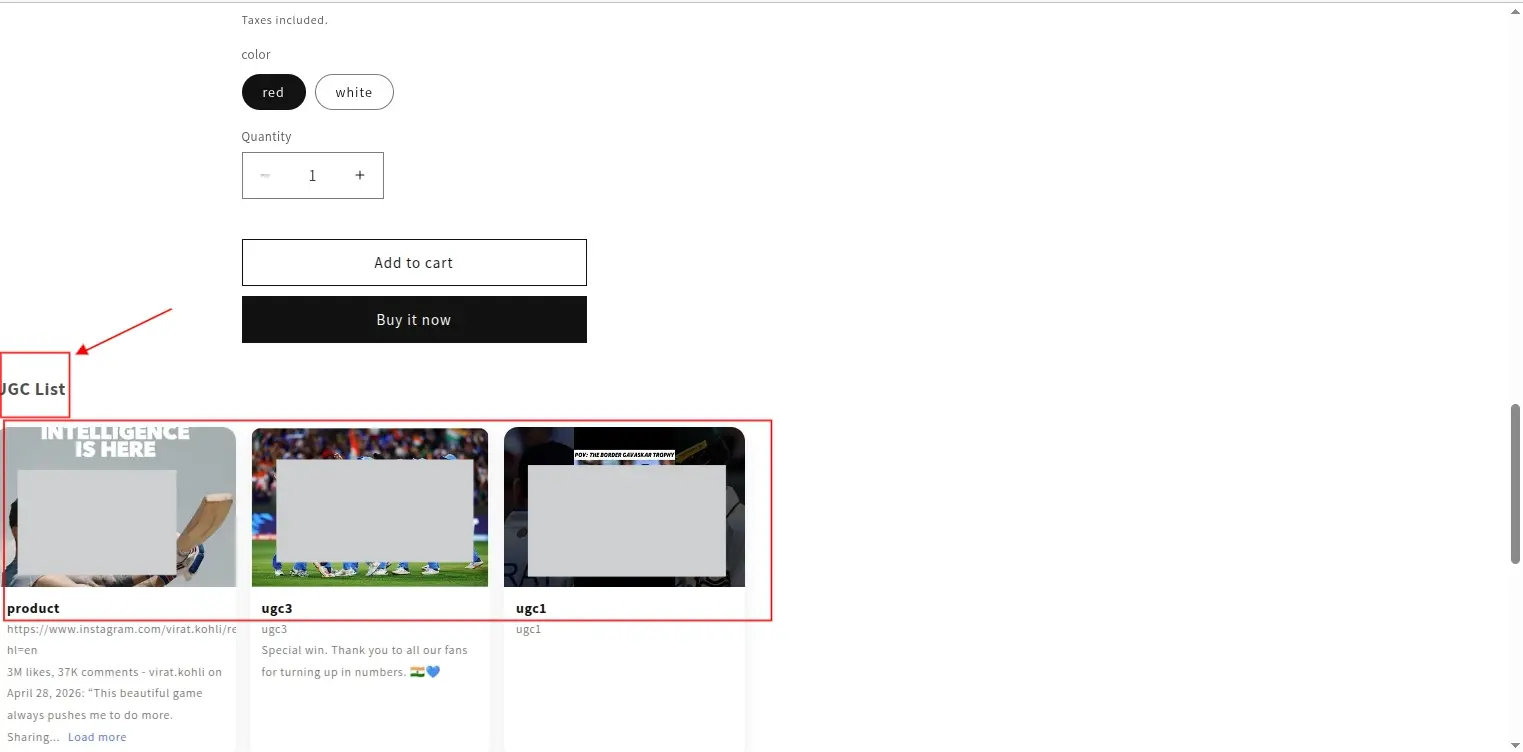
Product Page
The approved UGC is displayed alongside the corresponding product.
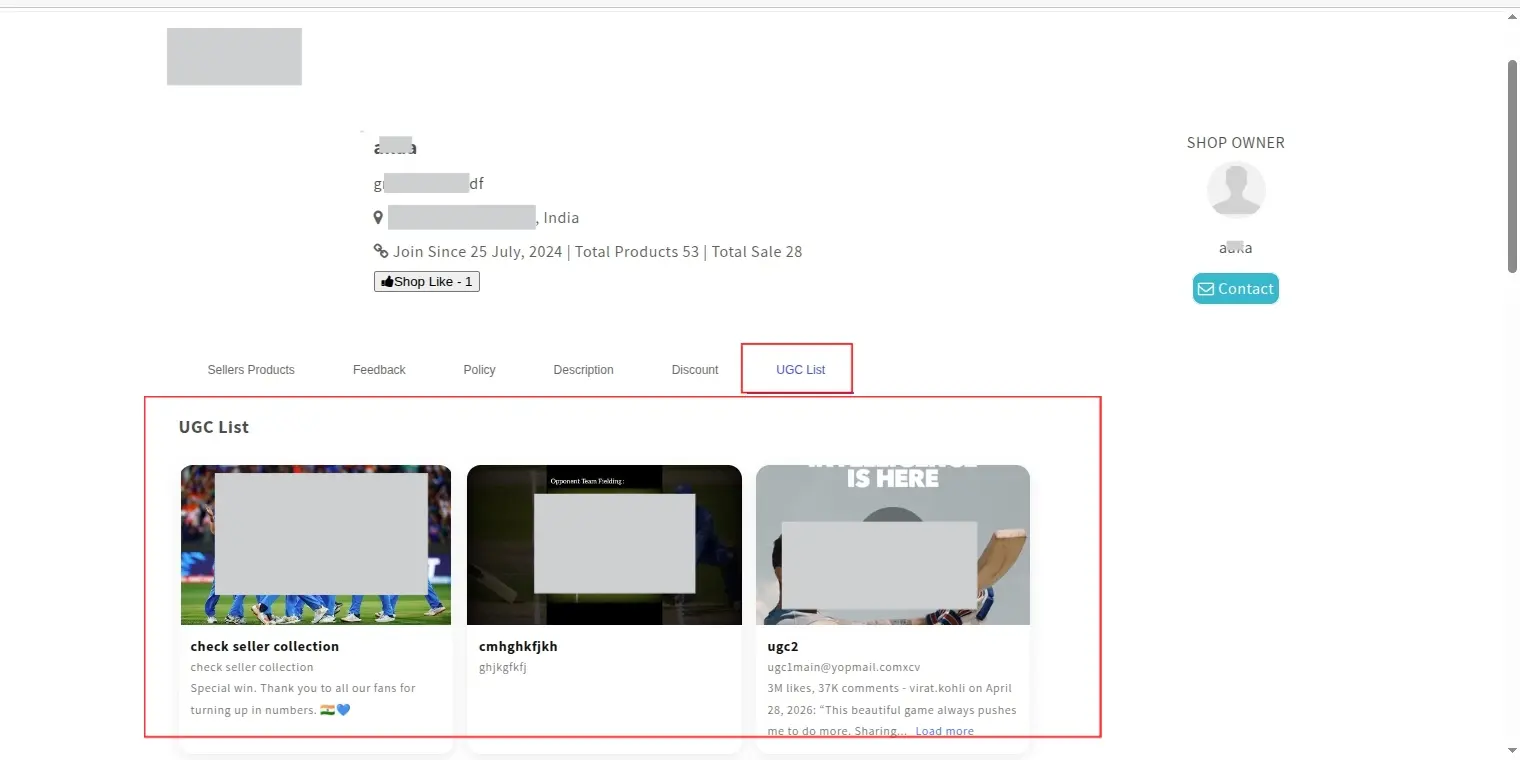
Seller Collection Page
The approved UGC is also displayed on the seller's collection/store page.
SCHEDULE DEMO
Click here to Schedule the demo of Multivendor marketplace App for Shopify