

Appearance
User Guide for Label Translations
Let's learn about Label Translation in Multivendor Marketplace for Shopify.
Multivendor Marketplace App is an ultimate tool to convert your store into a fully-functioning marketplace.
Here, multiple sellers get registered who can sell their products locally or globally and admin can charge a commission on each seller’s earning.
In Multivendor Marketplace for Shopify, as per your requirement, now you can rename labels of various sections of the app. Let's have a look at how it works.
So now you can get the labels changed as per your requirement and also in your choice of language.
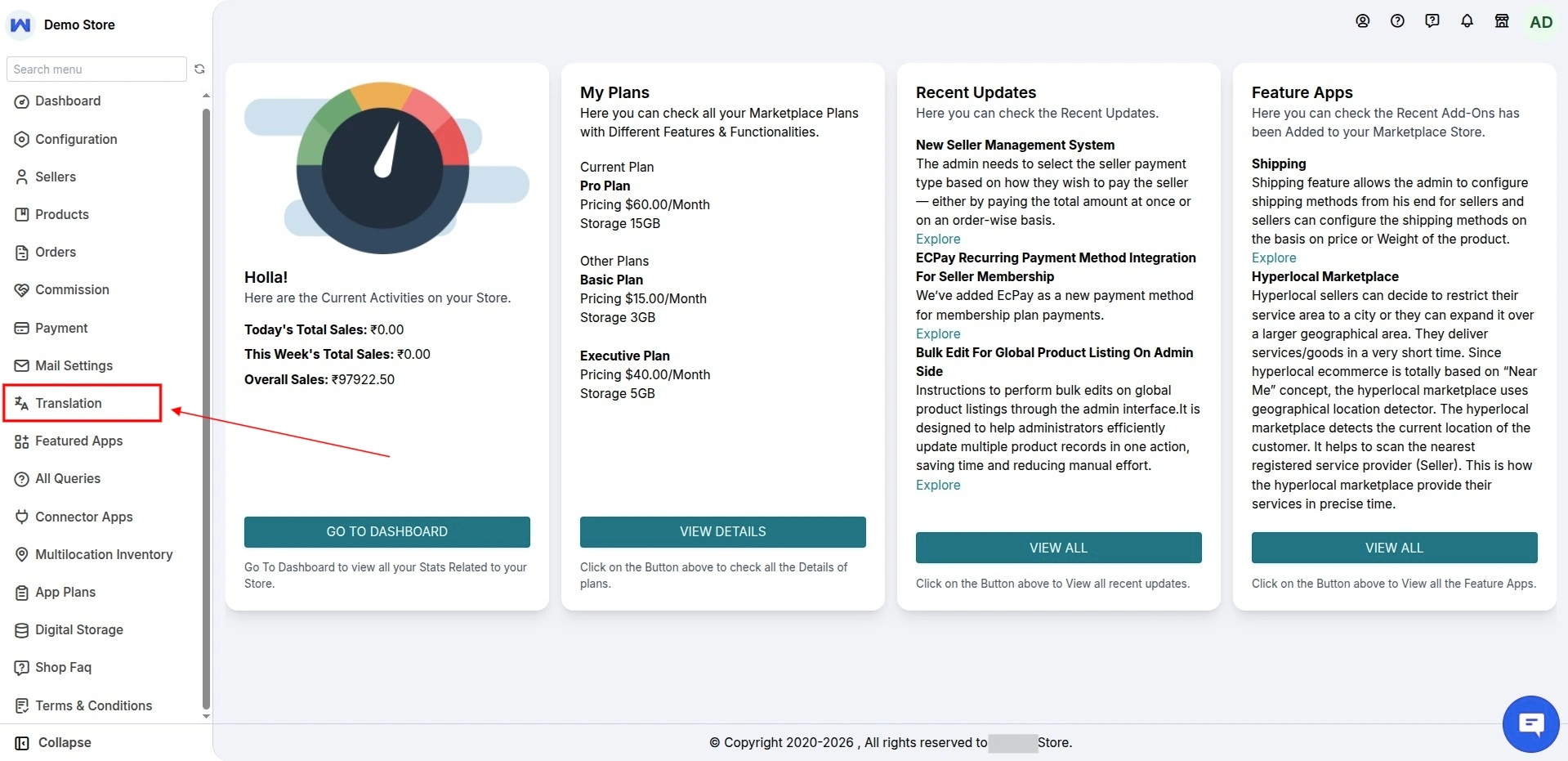
How to Perform Label translation
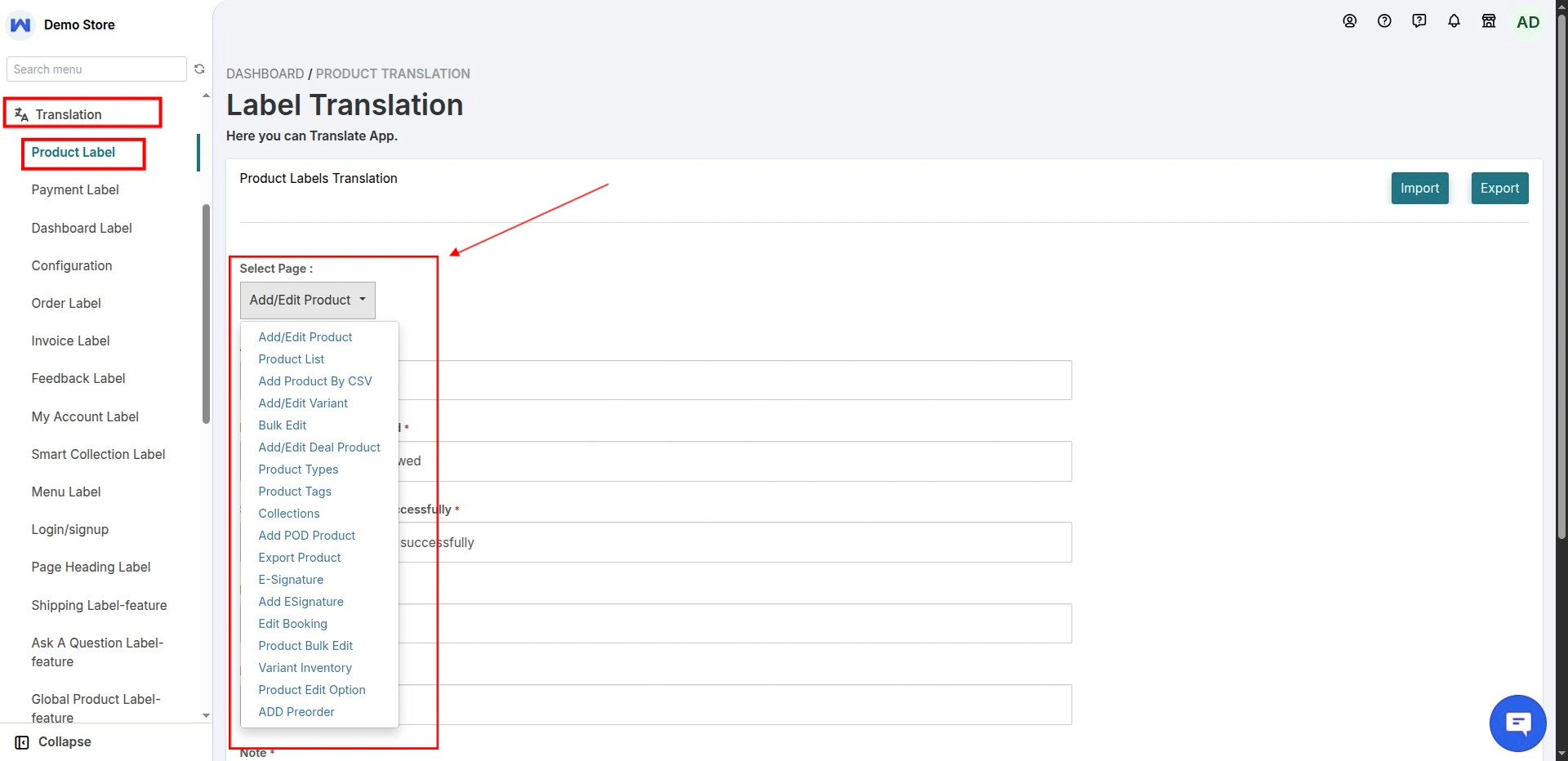
Label Translation for add Product form
Here you can rename the label of add product form. Also, you can choose different pages from the drop-down as shown in the screenshot.
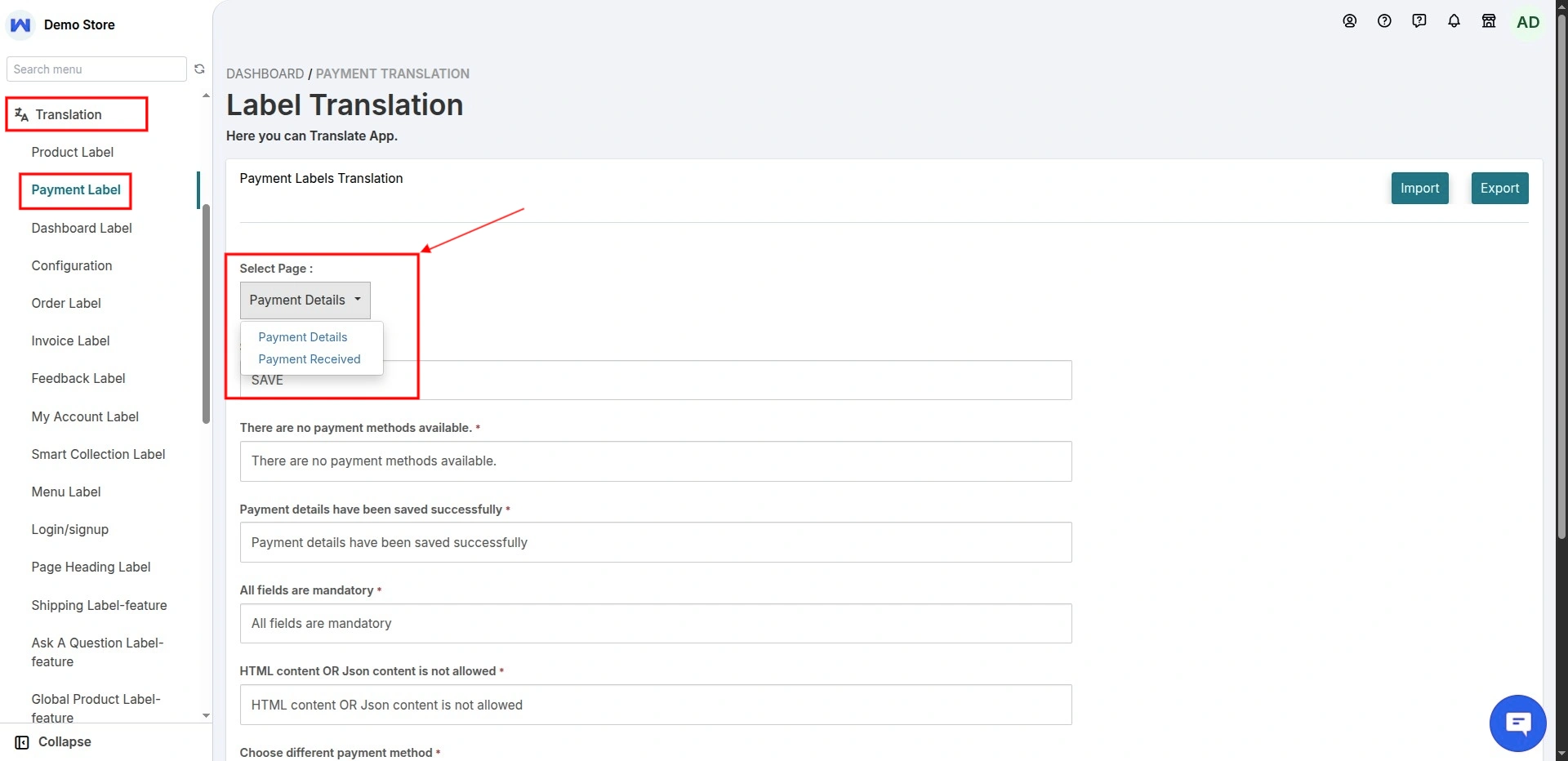
For Payment Detail
Payment Labels translation, here you can rename the label of payment details. Also, you can choose different pages:
- Payment Details
- Payment Received
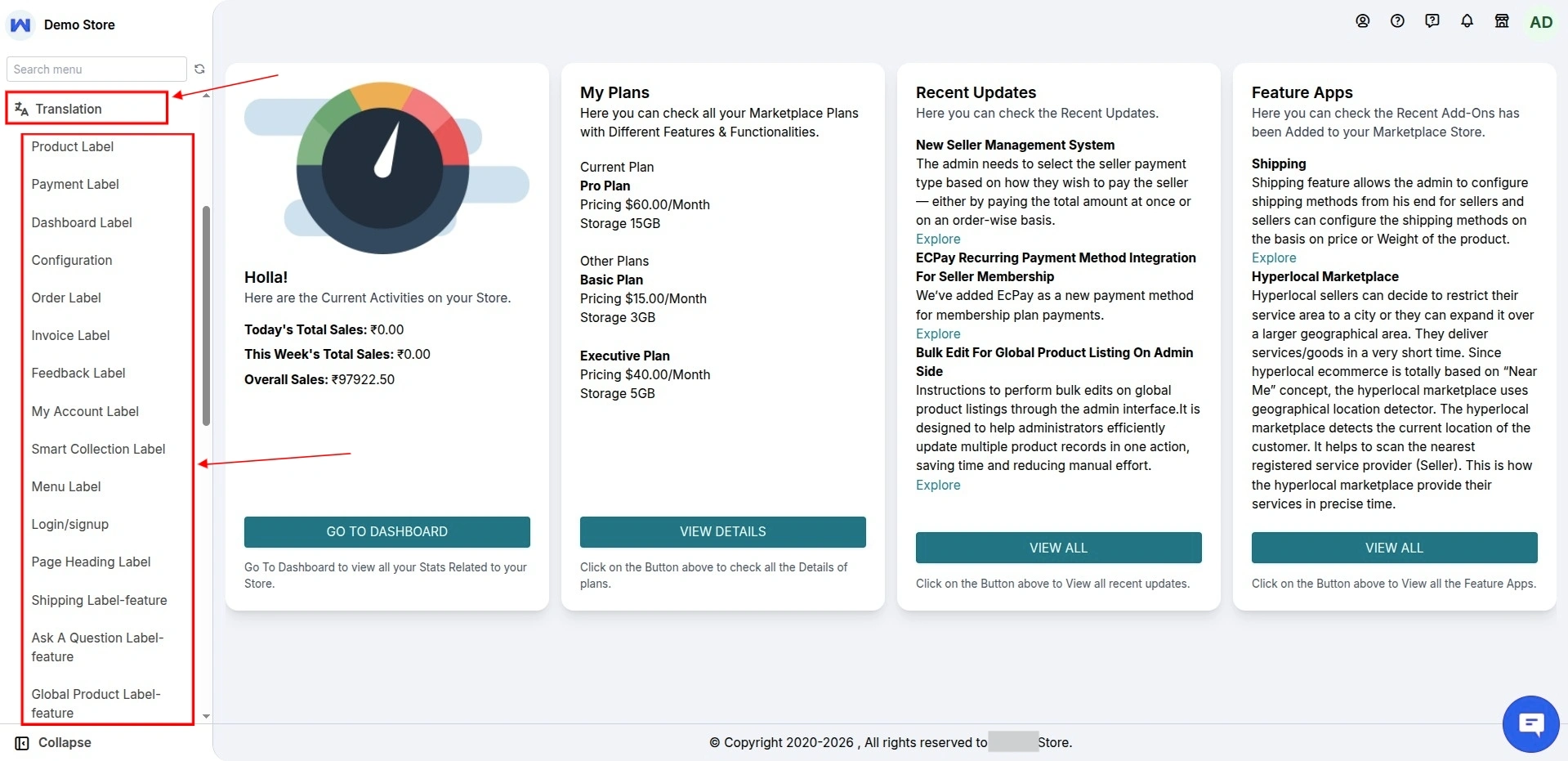
Select different pages to change Labels
Lastly, from the below screen you can see how you can select different pages whose label you want to translate.
SCHEDULE DEMO
Click here to Schedule the demo of Multivendor marketplace App for Shopify
Support
Moreover, if you need any kind of help then please raise a ticket at Webkul UV desk or drop an email at support@webkul.com.
Thanks for reading this blog.